PHASE 1 · LESSON 8 · DIGITAL CONSOLE & MUSIC LAB
Qu-7 Studio
A working DAW with a Qu-7-inspired console. Record, arrange, mix and export using Music Lab’s instruments, audio engine and saved song.
Both workspaces use the same saved song in this browser. Switch with the link above; edit in one workspace at a time. This is a software mixing surface, not a hardware remote.
Qu-7 lesson & practice labs Signal flow · gain · phantom power · monitors · scenes
The labs below are isolated teaching simulations. They do not change your song. In the working console above, SEL opens preamp trim, EQ and channel tools; M mutes, S solos, ● arms recording, SAFE protects a channel from mix-scene recall. FX sends feed shared effects, while the monitor lab models a separate stage mix. Phantom power must be set on your physical audio interface.
1 · What the Qu-7 is
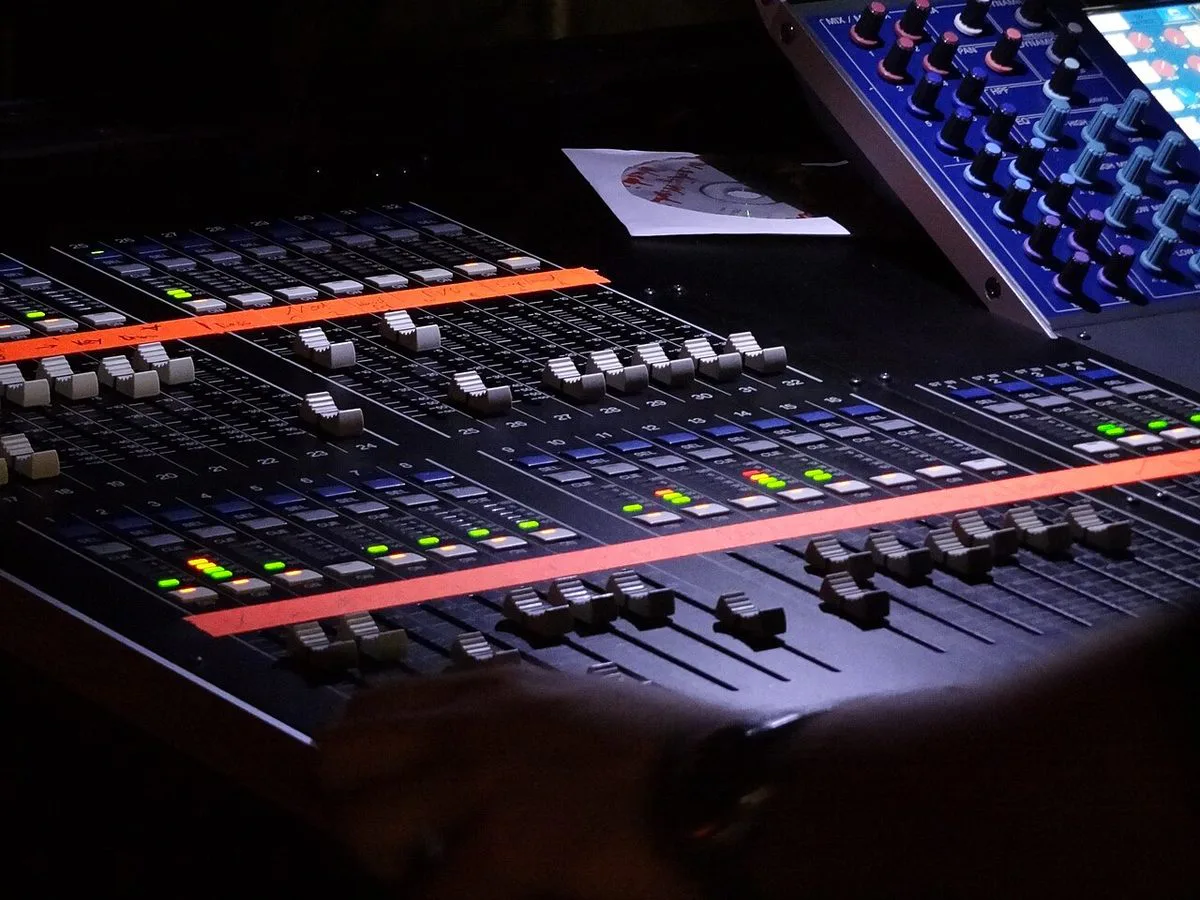
The Qu-7 is a 96 kHz digital live mixer. Microphones plug into combi XLR/jack inputs on the desk, the preamps are digitally controlled so their settings are saved with the show, and everything after the preamp (EQ, compression, effects, mixes) happens inside the desk as numbers. It is a "walk up and mix" design: you pick a channel, then edit that one channel.
Mixes are 6 mono/linkable plus 6 stereo, each usable as an aux (monitor or effects send) or a group. There are also 4 matrix outputs, and the preamp gain runs 0 to +60 dB in 1 dB steps.
2 · A tour of the surface
Press a region to see what it does. This is a concept map: the regions are real, but where they sit is simplified.
On the back: 32 combi mic/line inputs, 2 stereo line inputs, 20 XLR outputs plus two TRS outputs, an AES digital output, an SLink expansion port, USB and SD, a network port and the footswitch jack.
3 · Follow one channel
Every input channel passes through the same stages, in about this order. Press a stage to read what it is for. Nothing on a digital desk changes the order unless the manual says so, so when a sound is wrong you can walk this list.
New to these stages? Analog Mixer Lab teaches the signal flow with real knobs, EQ and compression go deeper on the middle stages.
4 · Lab: set the gain
Gain is the first decision and the one that you cannot fix later. Too low and you bury the signal in noise. Too high and the converter clips, which is permanent: pulling the fader down afterwards only makes clipped audio quieter. On the desk, press PAFL on the channel, have the person play or sing at full performance volume, and turn the gain until the peaks sit in the green-to-amber area, never red.
Model: the peak at the converter is the source's peak in dBu plus gain, minus 18 dB, because the desk's spec puts nominal level at the input where dBu plus gain equals 0. "Aim for" is peaks at −12 dBFS.
5 · Lab: 48V phantom power
Condenser microphones need +48 V sent down the same cable that carries the audio. The Qu-7's preamps can send it, one channel at a time. It helps some sources and harms others, so you decide per channel.
The habit to keep: mute the channel (or lower the fader and Main) before you press 48V, because a mic connecting or powering up can thump the speakers. Never plug or unplug a condenser with 48V on. Check ribbon mics before you send phantom power to them.
6 · Lab: a monitor mix with Sends on Faders
The audience hears Main LR. The singer on stage hears a different mix through a wedge or in-ears, built on one of the 12 aux mixes. Sends on Faders turns the channel faders into the sends for the mix you choose, so you can build that mix at the real faders and see all channels at once. Choose a mix below, then ride the vertical faders. The faders move to the stored positions for that mix, just as motorised faders do on the desk.
Scenario: the singer says "I can't hear my guitar." Fix it in Mix 1 without changing what the audience hears in Main.
Drag a fader cap · Arrow keys for fine adjustment · Double-click a fader for 0 dB
Try it: with sends set post-fader, pull the vocal's Main fader down. The singer's own voice drops in the wedge too. Switch to pre-fader and it does not. That is why monitor mixes are almost always pre-fader.
7 · Lab: Scenes, Safes and DCAs
A scene is a saved snapshot of the mix. Store one for each part of a day (soundcheck, band set, assembly) and recall it with one press. A Safe protects a channel from a recall, so the person on the live mic does not suddenly jump. A DCA is one fader that scales a group of channels, so "all the band" comes down together while each channel keeps its own balance.
8 · Getting audio in and out
| Port | What it does | Reach for it when… |
|---|---|---|
| USB-A (front) | Records a stereo mix to a USB stick, plays back files, moves show data. | You want a quick recording of the whole show or play-in music. |
| USB-C | 32×32 multichannel audio interface to a computer. | You want every channel on its own track for a DAW, or a virtual soundcheck. |
| SD card | Multitrack record and playback with no computer: 16 tracks at 96 kHz or 32 at 48 kHz. | You want an unattended multitrack of the band. |
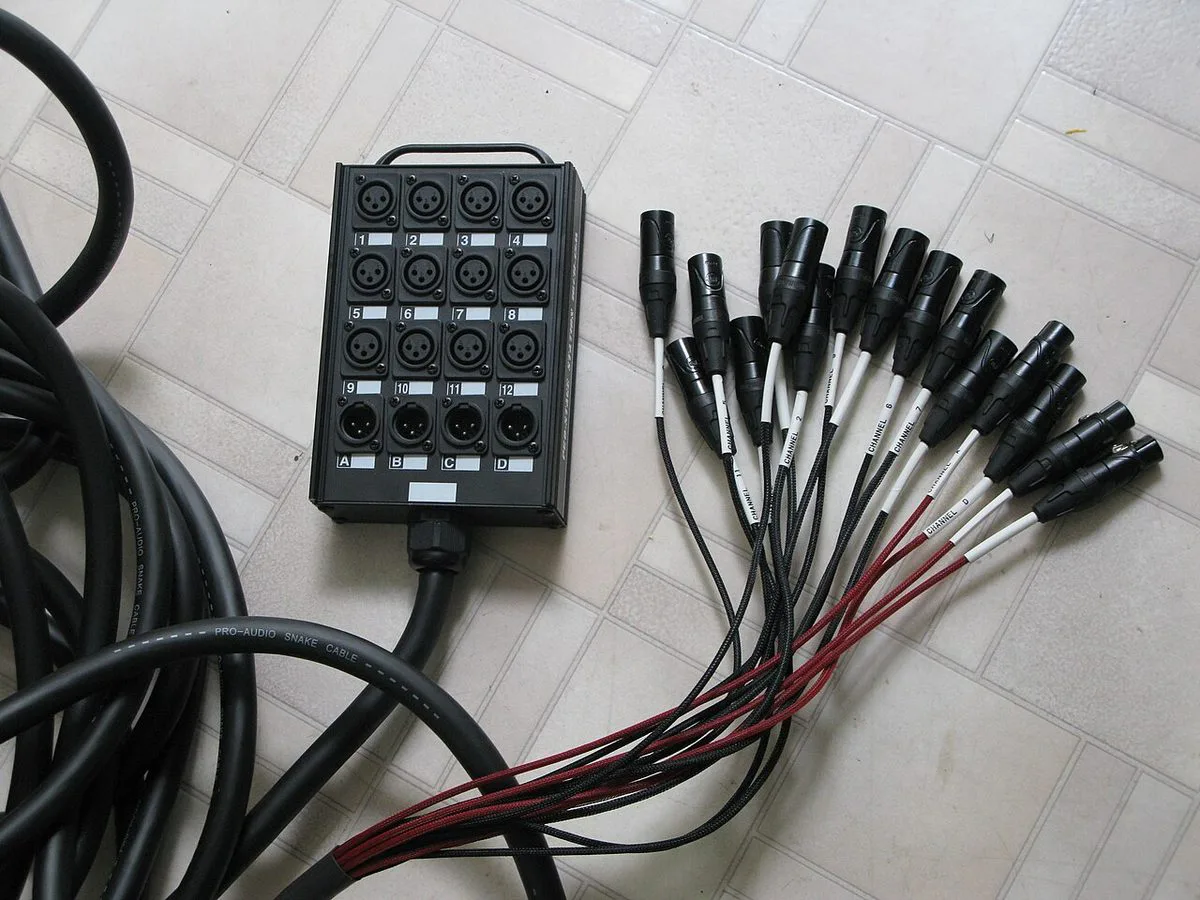
| SLink | One network cable to digital stage boxes and other Allen & Heath gear. | Mics are far from the desk and you do not want a thick analog snake. |
| Dante | Networked audio on the Qu-7D model only. | You are tying into a Dante system. |
A computer app (Qu MixPad) can control the desk and edit a show offline, so you can prepare channel names and scenes before you arrive.
9 · Digital console & stage-box hardware in the field
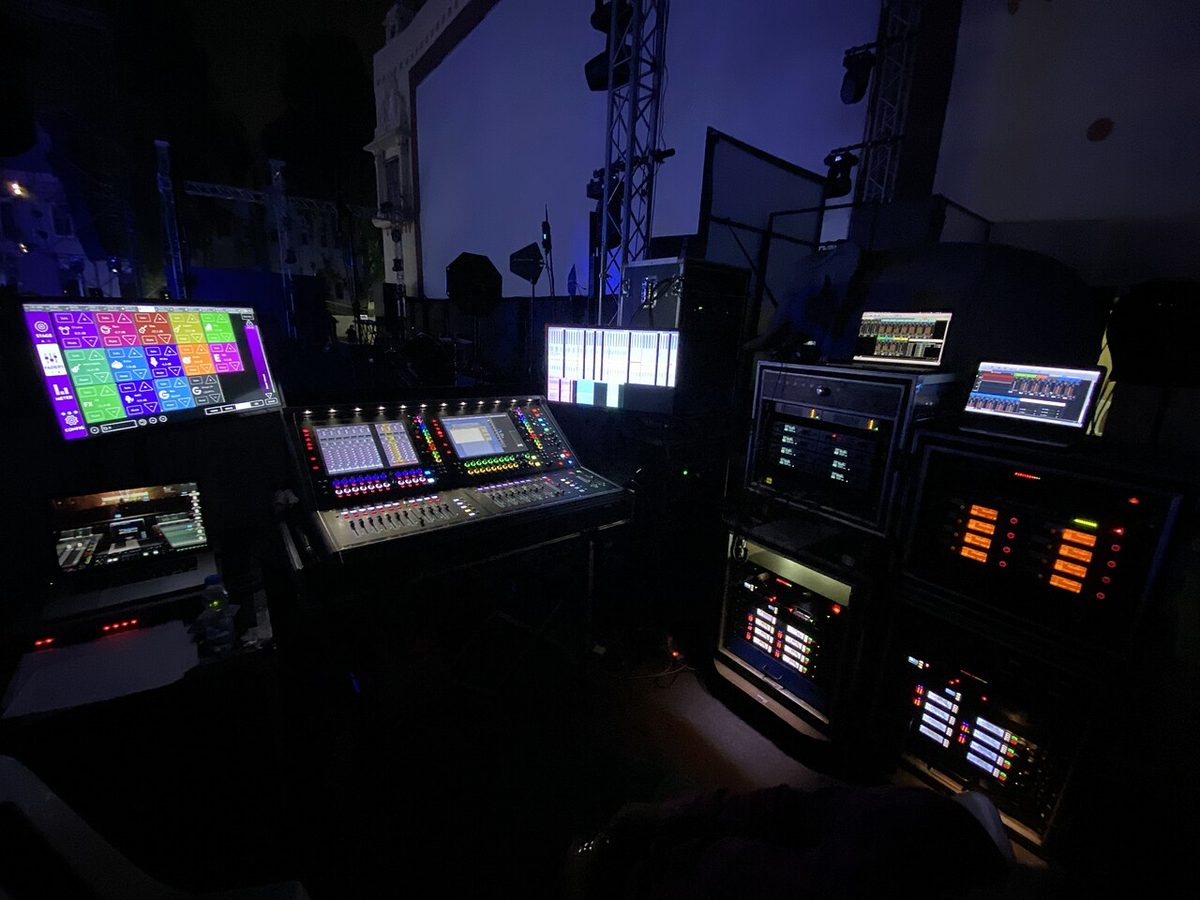
Click any photograph to enlarge it for class discussion. Notice how a digital console replaces hundreds of single-purpose analog knobs with a Selected-Channel touchscreen, motorized faders, and a stage box connected over a single cable.